 Kamari
Give your AI assistant tools you control
Kamari is an open-source server for developers and self-hosters. It gives AI clients 370 permission-checked tools for your email, files, network and home.
MIT License | Version 1.35.15 | Source on Bitbucket
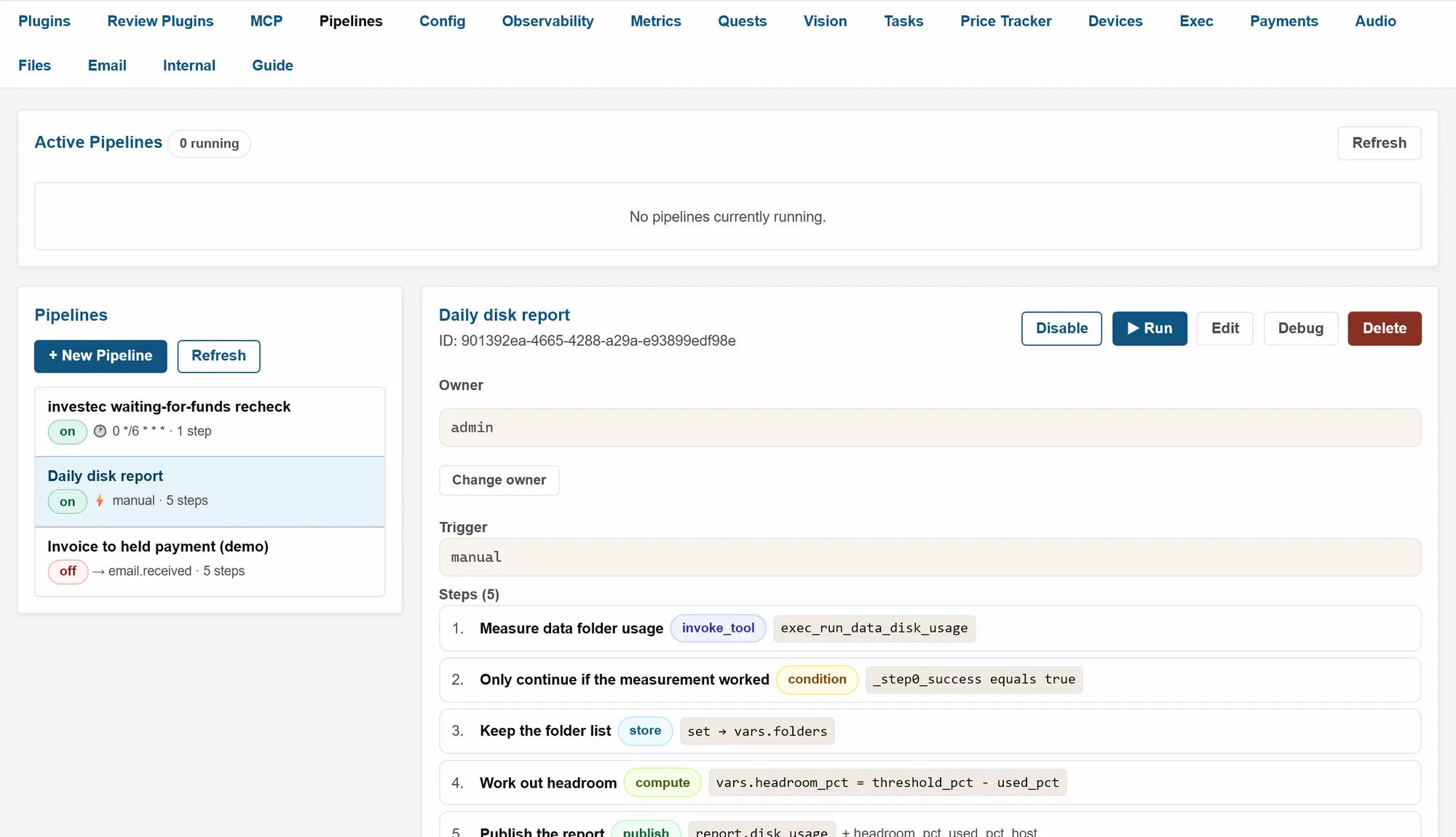
Your assistant acts; you stay in charge
It does real work
Send an email, read a PDF, check disk usage or provision a Proxmox VM. Each is one tool call, such as email_send or terraform_proxmox_provision.
You decide who may do what
Every call is checked against the caller's own permissions. An API key can never do more than the person who created it.
You can see what happened
Every tool call is written to an audit log. You can trace one job from its trigger to its last step.
Three steps from install to automation
-
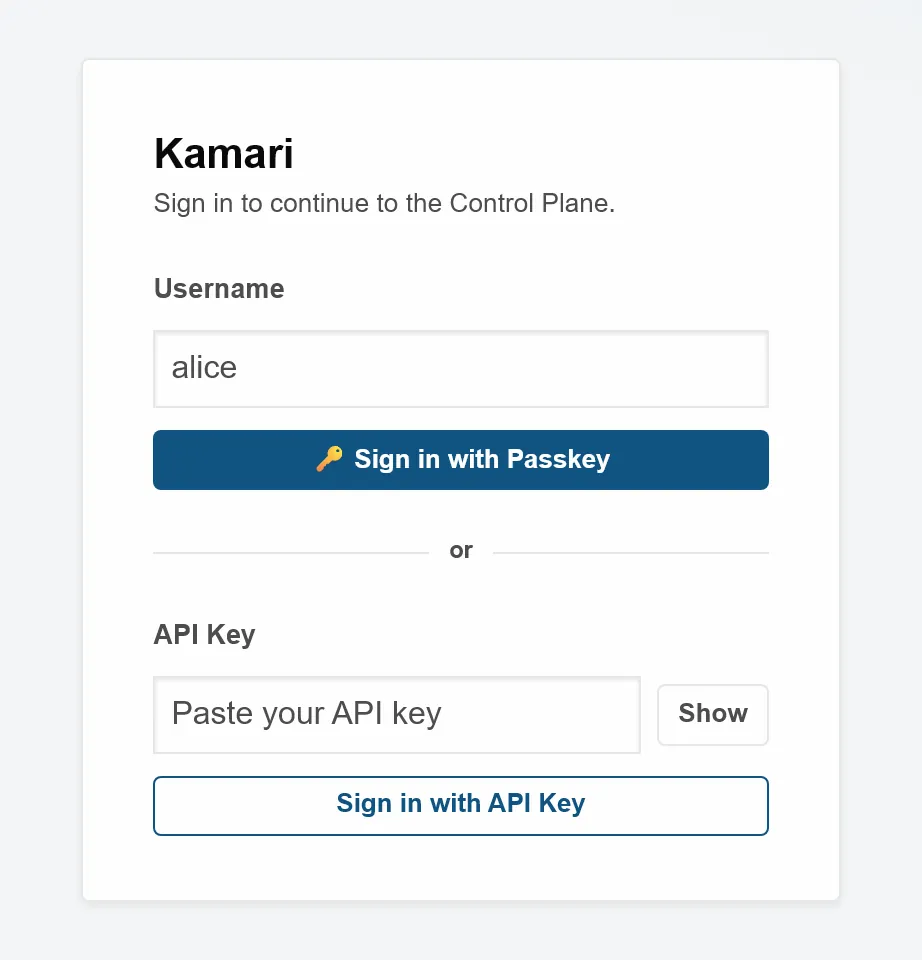
Install it and sign in
You run one Python process. It prints a one-time admin token. You sign in with it, create your user and register a passkey.
-
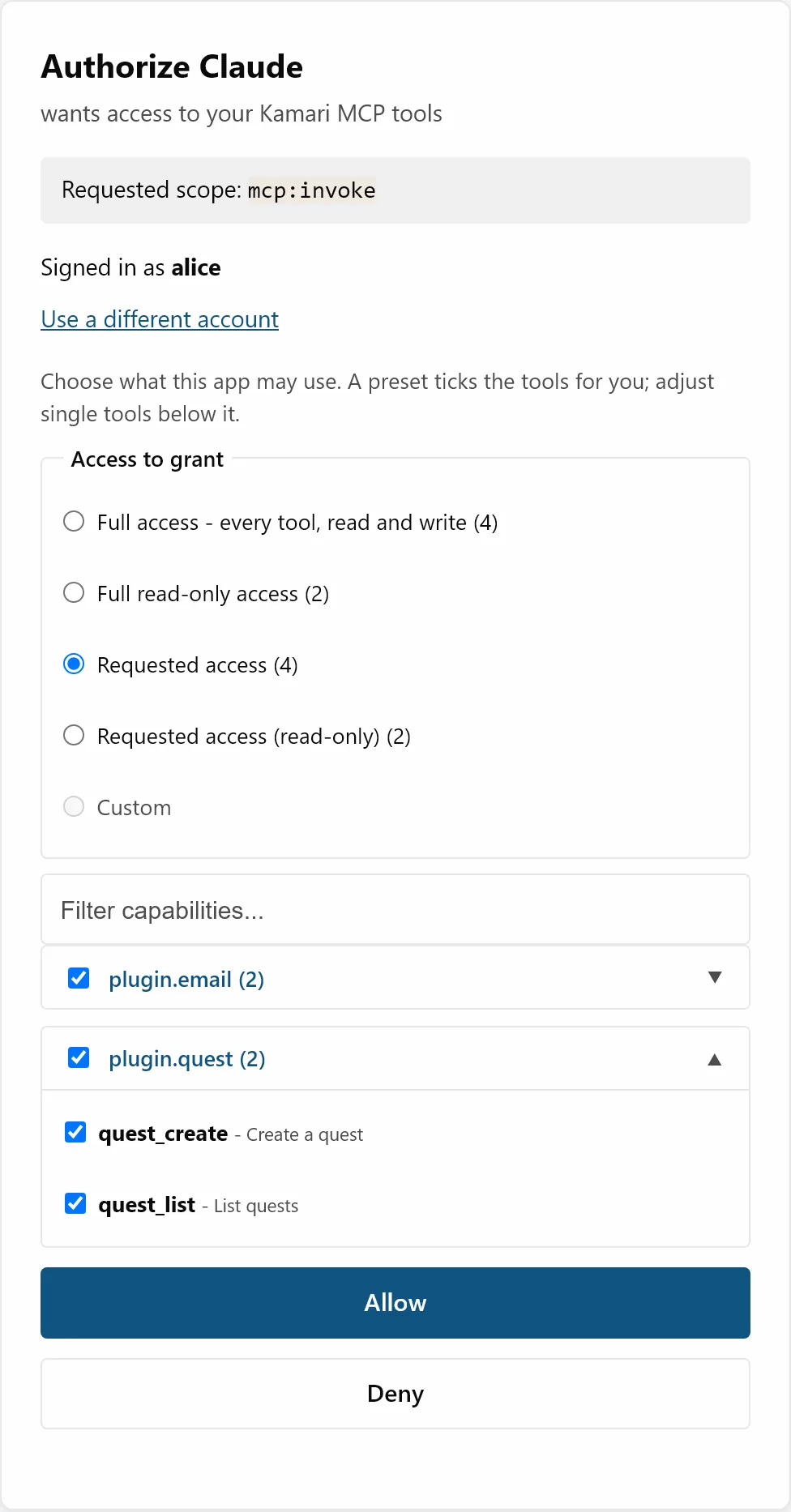
Connect your AI client
Kamari speaks MCP (Model Context Protocol), the standard AI clients use to call tools. Your client signs in through OAuth 2.1, and you pick the tools it may use.
-
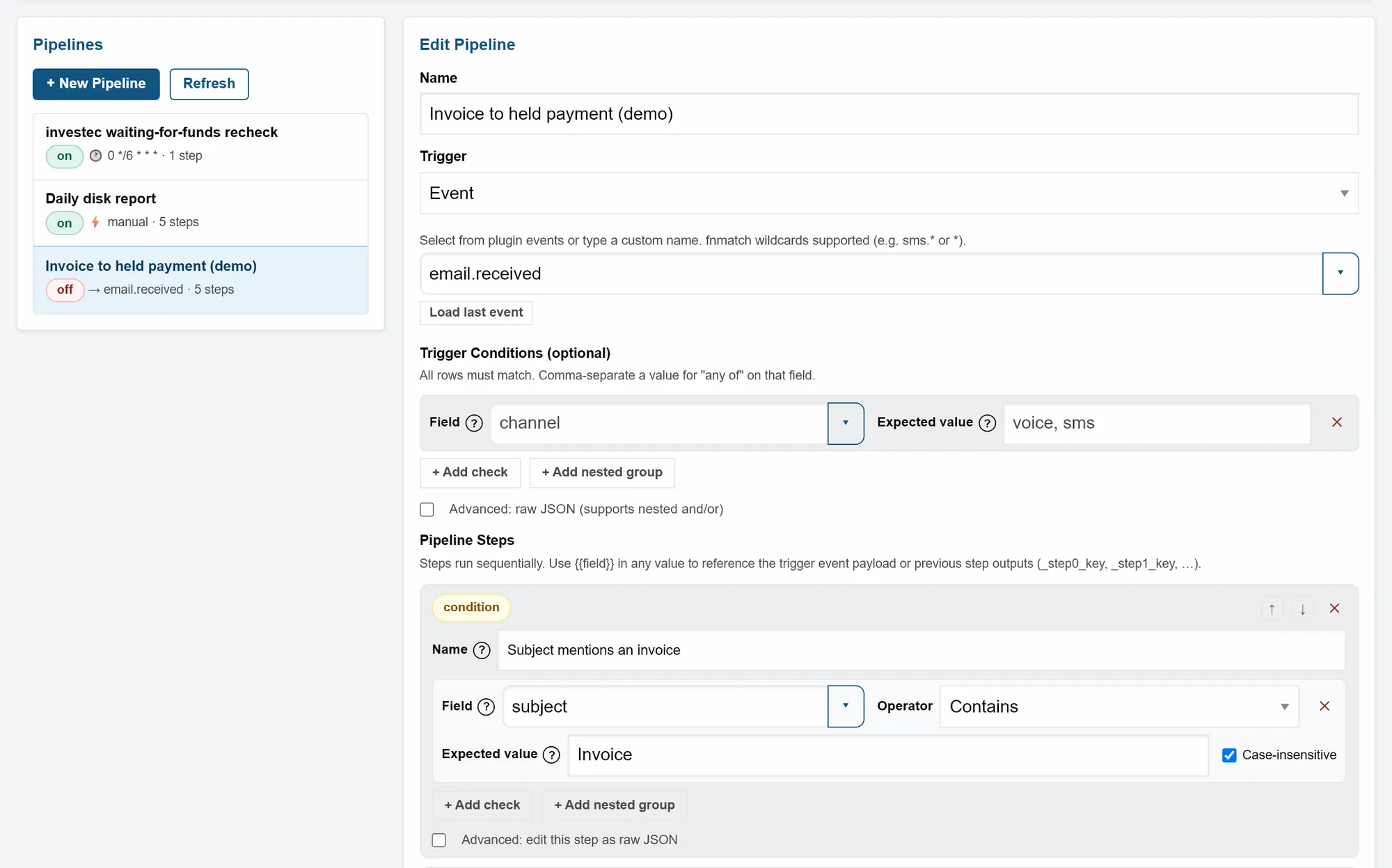
Automate and trace
Pipelines run steps when an event arrives, such as a new email. Every run is recorded, and you can step through one in a debugger.
Facts you can check
Counted from the code when this page was built.
- 55 plugins
with 370 tool calls, 153 of them read-only. - 55 of 55 plugins
ship with their own tests. - 727 commits
since the first one on 2026-06-24. - Version 1.35.15
released under the MIT License. - 55 of 55 plugins
are still marked Dev. A plugin is promoted only after each capability passes a recorded test. - Changelog
lists what shipped and when, taken from the commit history.
What Kamari is not
- Not a hosted service. You run it on your own machine. There is no account to create and no cloud tier.
- Not an AI model. It gives tools to the AI client you already use. An optional plugin runs a local model through Ollama.
- Not finished. 55 of 55 plugins are still marked Dev, and the code changes often. Read the changelog before you upgrade.
Install it in four steps
You need Python 3.12 or newer and git. Kamari is developed on Windows and runs in production on Linux.
-
Get the code
git clone https://bitbucket.org/Spac3k/kamari.git cd kamari -
Install it with every plugin's dependencies
python -m venv .venv
.venv/bin/pip install -e ".[all]"
On Windows, use
.venv\Scripts\pipinstead of.venv/bin/pip. -
Start it
.venv/bin/python -m kamari --data-dir ./data --host localhostOn Windows, use
.venv\Scripts\python. When it worked, the terminal shows a box like this:============================================================ Kamari admin token (valid until this process stops): (a random token) Authorization: ApiKey (the same token) ============================================================ -
Sign in
Open
http://localhost:8000/web, choose Sign in with API Key and paste the token. Then create your user on the Internal page and register a passkey from its invite link.