 Kamari
Permissions and sign-in
Every tool call is checked against the caller's own permissions. This page explains who the callers are and how each one proves who it is.
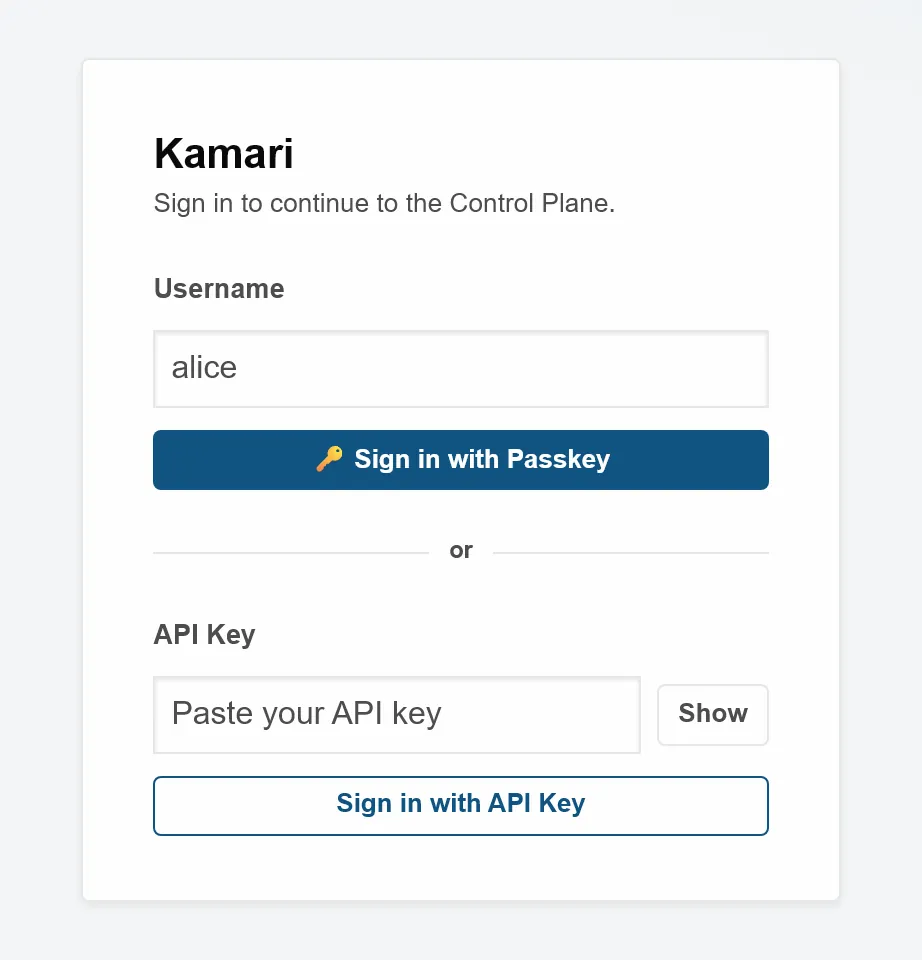
You sign in with a passkey
- People sign in with a passkey (WebAuthn) stored on their device or security key. Passkeys need HTTPS or
localhost; elsewhere the sign-in screen offers an API key instead. - A passkey must check your PIN, fingerprint or face each time it is added or used. A passkey that only asks for a touch, such as a security key with no PIN set, is refused.
- Every new passkey is stored on your device or security key itself, so it works without typing a username and for phone sign-in. A security key with no free passkey slot is refused when you add it, with a message saying why.
- To add a passkey on your phone from a computer, choose the phone button. It asks your browser for a phone (the WebAuthn "hybrid" hint), so the browser shows a QR code and leaves the computer's own passkey store out of the choices.
- Passkey sign-in never asks for a username. Starting a sign-in answers the same whoever asks, so it cannot be used to find out which accounts exist or which have passkeys.
- A browser that cannot reach your phone's passkey, such as Firefox on Linux, can show a QR code and a code instead. You scan it, sign in on the phone with your passkey and type the code shown. Only the browser that showed the code is signed in.
- Phone sign-in is off until you turn it on from a passkey sign-in. An admin can turn it off for one user or for everyone. A request lasts 5 minutes, works once and ends after 3 wrong codes. The phone page shows which browser and address is asking.
- A successful sign-in gives your browser a session token signed with HMAC-SHA256 (a keyed hash). It expires after one hour by default, and an admin can change that.
- The dashboard keeps that token in a cookie that page scripts cannot read (HttpOnly). The browser never sends it from another site (SameSite=Strict).
- Signing out ends that session on the server, so a copy of the token stops working too. Your other sessions keep working.
- Browser requests that change data also need a CSRF (cross-site request forgery) token: a cookie whose value the page repeats in a header.
- The API-key sign-in refuses a request that a page on another site started.
- The AI app connection (MCP) also refuses a request that a page on another site started. Apps that connect directly, such as Claude Code, are not affected.
- On every start, Kamari prints a new admin token that works until the process stops. It is held in memory only.
- To add a person, an admin creates the user and copies an invite link. The link works once, for 30 minutes.
- To disable an account, set its expiry date in the past. Its sessions, API keys and tokens are then refused on every request.
- Deleting a user removes their passkeys, API keys and invite links, and ends their sessions and connected-app access.
Permissions are a list of capabilities
There are no roles. Each user holds a plain list of capability names, and there is one built-in superuser called admin. Every tool call maps to one capability, and Kamari checks the caller holds it before the call runs.
| Capability | What it allows |
|---|---|
auth:users | Manage users, their passkeys and their API keys. |
vault:read, vault:write | View or change the secrets vault in the dashboard. |
pipelines.all | See and manage every user's pipelines, not only your own. |
verification.trigger_write | Run a write capability from the Review page. |
email.send | Call the email plugin's send tool. Every plugin capability works this way. |
- The server decides who is calling. A request cannot claim to come from someone else.
- Permissions are worked out again on every request. Remove a capability from a user, and every key and token they hold loses it at once.
- A resumed task, or one replayed after a restart, runs as its original caller. It gets only what that caller still holds. If the key, token or session that started it has ended, the task is refused.
- A task's result goes back to the key, token or session that started it. Another of your keys may read it only if it holds the tool's capability itself, or holds everything your account holds.
Read and write tools are treated differently
- Every capability declares whether it only reads (read) or changes something (write). If a plugin leaves it out, Kamari treats the capability as write.
- The Review page may run read capabilities on its own, including with its Run all safe tests button. A write capability runs there only when a person with
verification.trigger_writeconfirms it. - A plugin moves from Dev to Prod only when every capability has a recorded pass, or is marked not applicable.
API keys can never exceed their owner
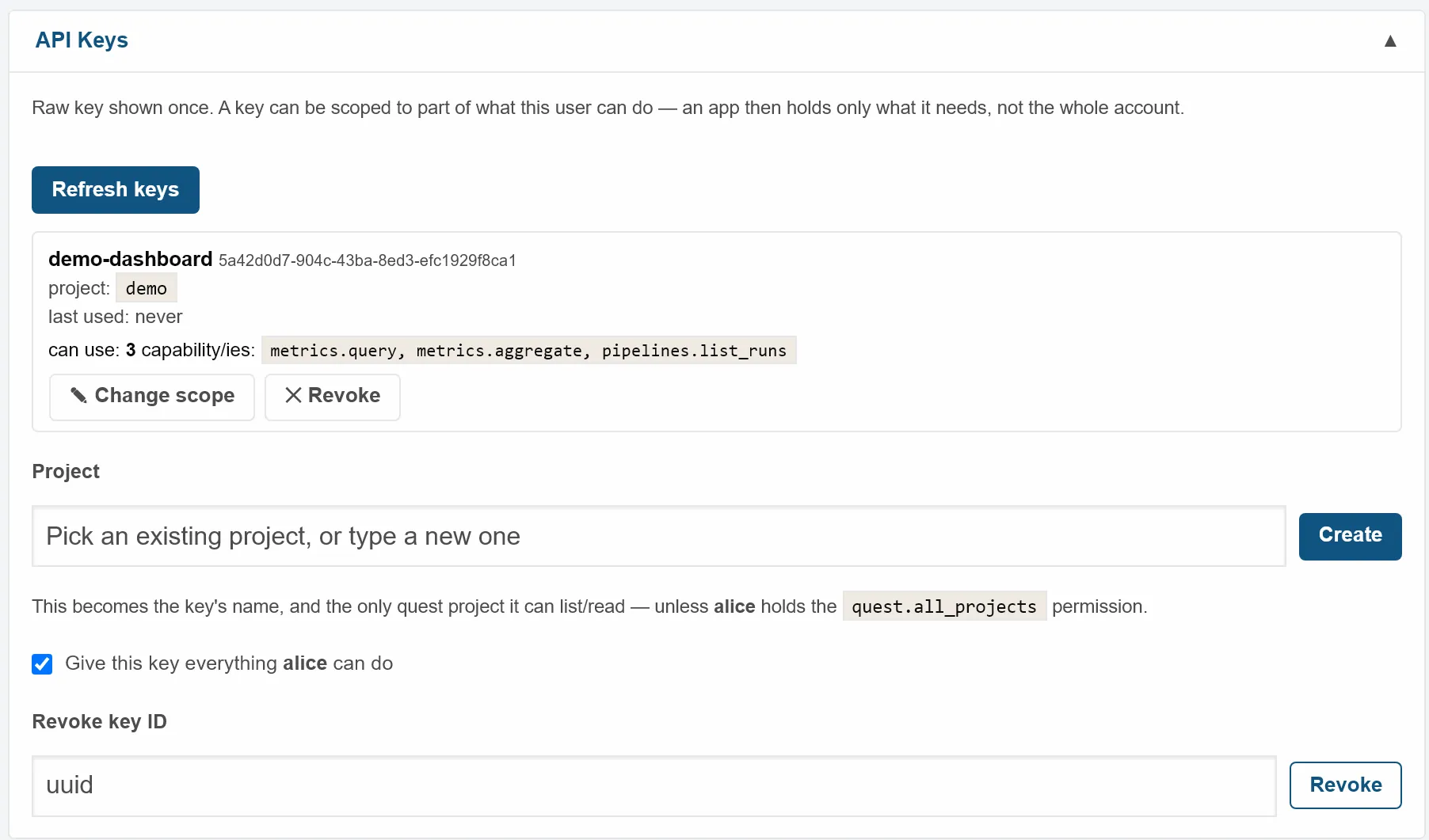
- A new key is shown once. Kamari stores only a hash of it.
- A key either inherits everything its owner can do, or holds a subset the owner already has. Asking for more is refused.
- Each key carries one project name, which limits it to that project's work items.
- An admin can change a key's scope or revoke it at any time. Both actions are written to the audit log.
- A dashboard session started with a key keeps that key's limits, and ends when the key is revoked.
- A key without the override permission for seeing every user's work items, memories or automations does not borrow it from its owner.
AI clients connect through OAuth 2.1
- Kamari includes its own OAuth 2.1 server, switched on by default. An MCP (Model Context Protocol) client finds it, registers itself and signs in.
- Self-registration is limited: 10 tries a minute per IP address, small registrations only, and at most 100 registered clients that have never been used. A client that is still unused after 7 days is removed. A client that has signed in is never removed this way.
- Sign-in uses PKCE (proof key for code exchange), so a stolen login code is useless on its own. Only the S256 method is accepted.
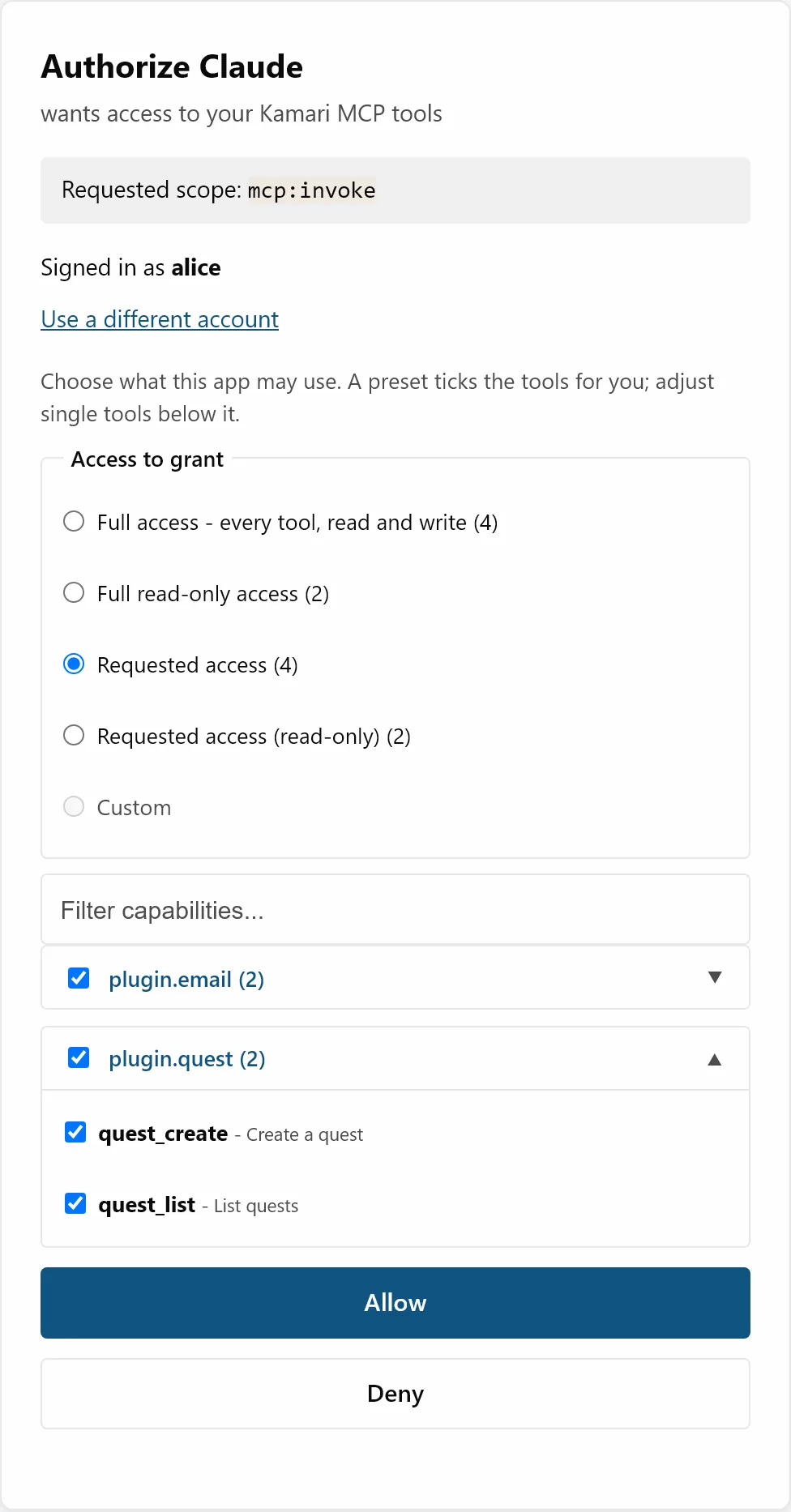
- On the consent page you pick a preset: full access, read-only access, only the tools the client asked for, or one of your own saved permission sets. Then you can tick or untick single tools. Kamari keeps only tools your account holds.
- A saved permission set only ticks boxes. Only you see your sets, and only from a dashboard sign-in. Editing or deleting one never changes access you already gave.
- The consent page refuses to load inside another site's frame, and runs only the scripts Kamari ships with it.
- Approving it needs a dashboard sign-in session. An API key, the startup admin token or another app's token cannot approve it.
- An admin can take tools away from a connected client at any time, and it applies on the client's next call. Giving it more needs the client to ask again and you to approve it on the consent page.
- An app signed in through OAuth also sees the tools your account holds but you did not give it, marked "needs approval". Calling one is refused with a request to re-authorize, and it never runs until you approve it. API keys and service clients see only the tools they can call.
- Access tokens last 15 minutes and refresh tokens 30 days. The token signing key rotates every 30 days.
- Service clients are for programs with no person behind them. An admin creates each one and sets the most it may ever do. Its token works only on the MCP endpoint.
- A service client gets 30 token attempts a minute per IP address, and at most 12 new tokens a minute.
Other apps can sign in through Kamari
- Kamari is an OpenID Connect provider. An admin registers each app; apps cannot register themselves for this.
- The app receives your identity (username and profile). It cannot call any Kamari tool, unless the admin allowed delegated tools and you tick them at consent.
- Disabling or deleting a user revokes all of their refresh tokens. Signing out of the dashboard also signs you out of connected apps that registered a back-channel logout address.
Secrets live in an encrypted vault
- Passwords and keys for other services are stored encrypted with Fernet (AES with an integrity check).
- Plugin settings point at a secret with a reference such as
{{vault.smtp.password}}. The value is filled in when the plugin reads its settings. - The general settings screen and API refuse to read or change the vault, the sign-in settings, and the OAuth keys and settings.
- An email setup may only refer to its own passwords, never another stored secret.
- The vault logs key names, never secret values.
What Kamari does not do
- Messages on the internal bus are not cryptographically signed. Protection comes from the permission check on every call, and from the bus refusing messages with no traceable origin.
- The vault's encryption key is stored in the same data directory as the vault. Protect the disk Kamari runs on.
- The audit log is kept in memory unless you turn on file persistence, so a restart clears it by default.